What Is Deep Nostalgia AI? A Guide to AI Photo Animation
Learn what Deep Nostalgia AI means, how to animate an old photo, which images work best, and how to use AI photo animation responsibly.
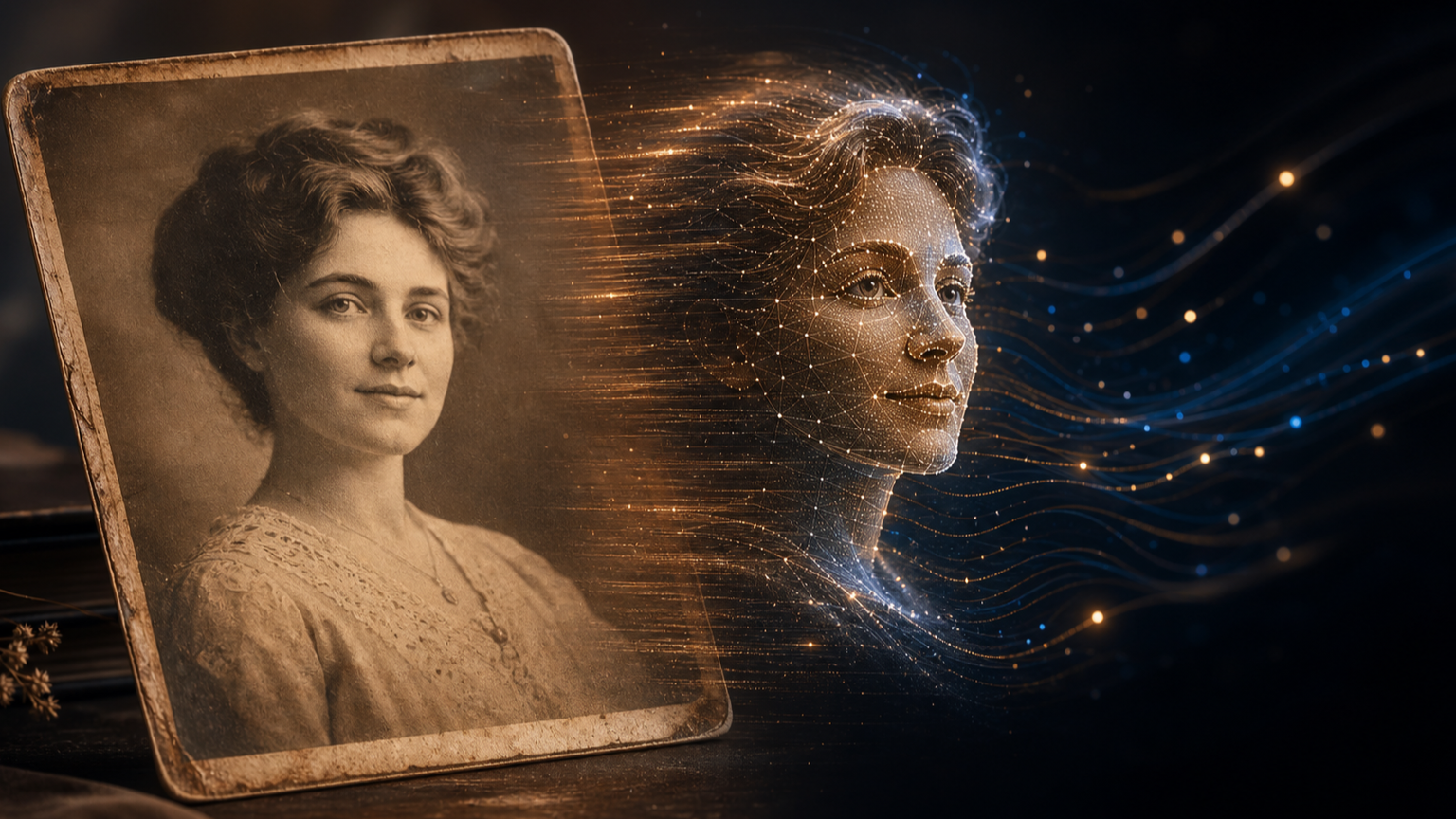
Deep Nostalgia AI is commonly used to describe AI photo-animation tools that turn a still portrait into a short video. These tools analyze the visible face, estimate a suitable movement, and generate a result that can be previewed and downloaded. If you want to try the generator on this site, animate an old photo with Deep Nostalgia AI.
What Does Deep Nostalgia AI Mean?
Deep Nostalgia AI describes the use of artificial intelligence to add lifelike motion to a static photograph. Typical results may include a gentle smile, blink, head turn, or another subtle expression. The goal is not to recreate a complete historical event; it is to create a short visual interpretation of one image.
The name is often associated with bringing old family photos to life, but the same idea can be used for portraits, restored photographs, memorial projects, and creative social content. The most convincing results are usually restrained: a small expression or gentle head movement is less likely to distract from the original image.
How Does AI Photo Animation Work?
Many modern image-animation systems can be understood through a few conceptual steps, although the exact pipeline varies by model and provider:
- Image analysis: the system identifies the face, landmarks, pose, and visible regions in the source image.
- Motion guidance: it determines how facial landmarks or regions should move over time.
- Frame generation: it renders a sequence of frames while trying to preserve the person’s identity and the original visual style.
- Video processing: it combines the frames into a short video that can be previewed or downloaded.
Research such as First Order Motion Model for Image Animation describes a general approach for transferring motion to a source image using learned keypoints and local motion. This is useful technical background for understanding the field; it does not identify the private model or provider used by every online animation service.
Because the model has to infer details that are not present in the original image, small artifacts can appear around the eyes, mouth, hair, or edges of the face. A prompt can guide the intended movement, but it cannot recover an action that was never recorded. AI animation should therefore be treated as a creative interpretation rather than a perfect reconstruction.
How to Animate an Old Family Photo
The basic workflow is straightforward:
- Choose a clear portrait with a visible face.
- Upload the image to the generator.
- Add a short English prompt describing the motion, such as “smiling gently” or “turning toward the camera.”
- Generate the video and review the result.
- Download or share the version that best preserves the feeling of the original photo.
Try the photo animation generator when you are ready to create your first result. The current generator accepts an optional photo, uses English prompts, and currently states a file-size limit of less than 4 MB. Upload limits, prompt support, and other interface rules may change, so check the generator page for the latest requirements before submitting a large image.
Prompts to try
Short prompts are usually easier to control than long cinematic descriptions. For example:
smiling gently at the camerablinking naturally and turning slightly toward the cameraa subtle nod with a warm expression
Start with one simple action. If the first result looks unnatural, reduce the movement instead of adding more instructions.
For the most consistent result, use a well-lit image with a mostly forward-facing subject. Very small faces, heavy occlusion, extreme blur, and damaged facial regions can make the generated motion less reliable. A single, clearly visible face is usually easier to animate than a crowded group photo.
What photos work best?
- A face that is large enough to see clearly
- A mostly front-facing pose
- Even lighting and moderate image resolution
- Eyes, mouth, and chin that are not covered
- A simple, subtle motion prompt
If the original photo is damaged, consider restoring or enlarging it first, then compare the animation with the original so the historical image is not lost behind excessive enhancement.
Is AI Photo Animation Historically Accurate?
No. An animated photo is an AI-generated interpretation, not a recovered recording of what the person actually did. The motion should be presented as a creative visualization, especially when the image shows someone from a previous generation who could not have been recorded in video.
How to Handle Family Photos and Privacy
Only upload images that you have the right to use. Avoid uploading sensitive documents or photos of people who would not reasonably expect their image to be processed. On this site's current generator, free-use results are marked as public by default, while private generation is associated with the Pro option. These settings and plan rules may change, so confirm the current options before uploading a personal photo. Review the service’s Privacy Policy and Terms of Service, and do not enable public sharing for a family photo unless you are comfortable with that choice.
Why Do People Use Deep Nostalgia AI?
People use photo animation to reconnect with family history, create memorial content, share a gentle surprise with relatives, or explore how a restored photograph might look in motion. The best results keep the animation short and subtle so the original photograph remains the focus.
Common Questions
Is Deep Nostalgia AI free?
The generator offers a free-use option, but free results may be publicly shared according to the current interface. Review the available plans and privacy options before uploading a personal photo.
What kind of photo works best?
A clear, well-lit, mostly front-facing portrait with one visible face is usually the most reliable. Small faces, heavy blur, extreme angles, occlusion, and damaged facial features can reduce quality.
Can AI animation show what a person really did?
No. It creates new motion from a still image; it does not recover footage that was never recorded. Treat the result as a creative visualization.
Why does the face look distorted?
The system must infer hidden or missing details. Try a sharper image, a more forward-facing portrait, and a shorter prompt with only one subtle movement.
Key Takeaway
Deep Nostalgia AI is best understood as a creative photo-animation workflow: upload a portrait, describe one simple motion, generate a short video, and review the result carefully. Clear images, restrained prompts, and careful handling of personal photos produce the most respectful results. Start animating an old photo.